





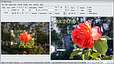
Click 2 Crop is an easy to use photo editor
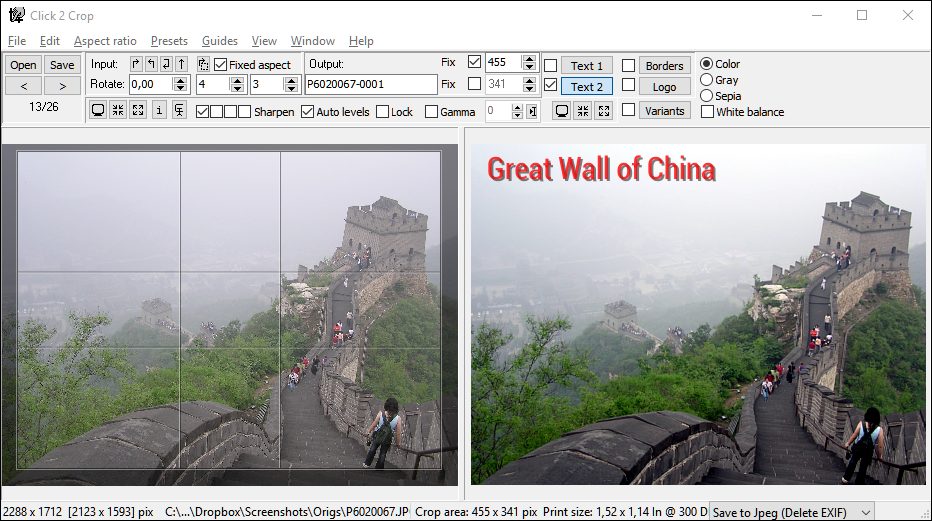
Click 2 Crop is an easy to use photo editor designed keeping one thing in mind – Speed.
Click 2 Crop enables you to crop, resize and optimize your photos very fast,
within a few mouse clicks.
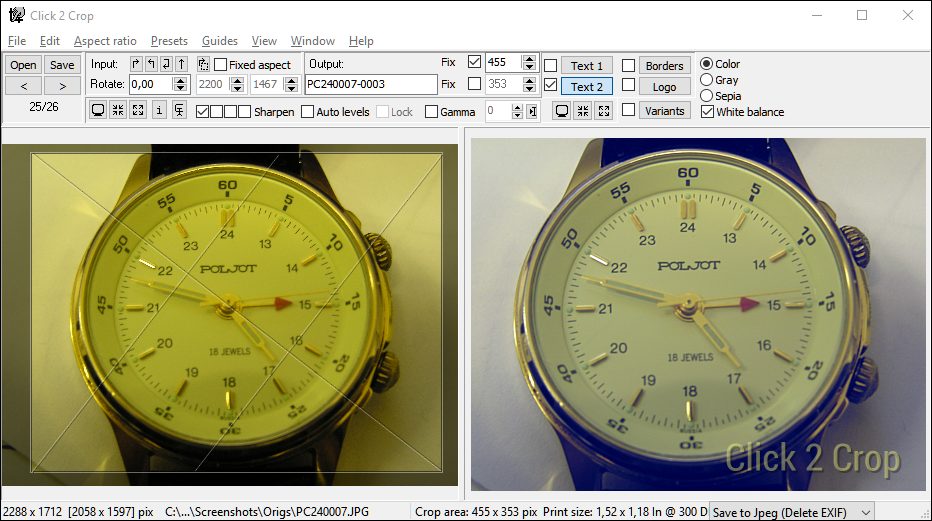
It has a simple but very effective crop tool that lets you preview the result while you’re
editing the image. You can crop the image to remove unwanted areas of the frame or to
create a zoomed-in effect, and can view the output on the fly while you’re doing these edits.
Besides that, Click 2 Crop offers some popular image enhancement options like white balance
correction, auto level correction, gamma adjustment, color correction, rotation, sharpening
and so on, and provides on the fly preview without any need to save the image.
You can also add frames to your images (using masks), add Text, view EXIF data, e-mail
cropped images directly without prior saving, import from a TWAIN source (camera, scanner)
and can do a lot more, very easily and in very less time when compared to other photo
editing programs.
Some user comments:
I thoroughly enjoy your software and use Click2Crop almost daily. I have found this software to be the best crop program on the internet, easy to use, with a simple drag and drop format, allowing quick but beautiful results." ...Michael S., USA
I am using my self-programmed MS access database to print school IDs and I am dealing with a lot of photos here. The Click 2 Crop is a very efficient tool for cropping the pictures for the school identification (ID) cards. It solved quite a lot problems that I encountered before. To name a few:
— MS access database is not very good at handling large files, the computer gets very slow when large photos are attached in a database. And it gets worse, printer spooling takes forever. The Click 2 Crop solved this. I have reduced the photos in consistent small sizes, hence the database run significantly faster.
— Click 2 Crop also solved the problem of stretched photos. Using the software, I am able to crop photos with precision. My clients are very satisfied.
— I used Photoshop before. The software is good, but when you will edit photos for IDs, its nothing like the Click 2 Crop. Its so simple to use.
So basically, I'm indebted to Click 2 Crop. I was able to edit, crop and attached photos of more than a thousand students to the database in a few hours work. And thats efficiency. I love your software. ...Melvin C., Philippines
I recommend you to change the caption for Click 2 Crop from "the easy photo editor" to "The quickest photo editor", because Click 2 Crop is not just an easy to use photo editor, It's the photo editing tool which gave me the power of fast photo editing, Kudos to the easy to use yet most powerful Interface. Thanks a zillion for developing this tool. ...Ashok Bezawada, India
Hello Boris, I use Click 2 Crop to enhance photographic images. I have tried other programs but I like yours the best. I will purchase other products from you, please put me on your mailing list when you release new products. ...Mike, USA
I recently purchased Click 2 Crop and think I made a great decision. The main reason I decided to buy this was that it is the only one I found that has the capability of cropping to wide screen AND putting a nice frame around the image. I received a digital picture frame for Christmas that displays photos best in wide screen mode (although it has other modes as well). I have placed this display on my desk at work and must say it has created quite a stir. A large part of that is due to the photos that are being displayed. ALL the photos displayed have been cropped to wide screen size by Click 2 Crop! ...Marc, USA
Wow! This is one of the best image editors I have ever seen on the net for what you need it to do. ...Jason, Visual Communications Company, Canada
"Click2Crop outshines *EVERYTHING* I have tested in terms of ease-of-use. I can't believe how quick and easy it makes cropping thumbnails. Purely Brilliant! ...Jason Palmgren, USA
Click 2 Crop – The thrifty photo editor, for everyone

Click 2 Crop is a handy software solution for both professional as well as amateur photographers, for bloggers, for online sellers in auction sites like E-Bay, Amazon etc., for Web designers, CMS applications users, for the casual home users editing and sorting their scanned photos etc.
If you are a Professional Photographer - you will be able to quickly browse through your last photo session, sort out good and bad shots, correct the photo composition, add your copyright mark and/or studio logo, prepare low resolution versions or thumbnails for online showcase etc.
If you are an Amateur Photographer - you can quickly and easily correct your photos, add date, location description captions to your honeymoon vacation photos, add borders, make small size versions of the photo for email, prepare photos for printing etc.
If you are an Online Seller - You can easily make attractive images for your auction items gallery with only one click per photo.
If you are a Blogger/Web Designer/CMS application user or you just want to create images for your first Internet page to show your lovely Fritz, the cat, to anyone who hasn’t seen it yet - you will be able to prepare nice, clear, sharp and fast loading photos for your web pages. No more resized images that look ugly, takes ages to load, or with reduced quality. With just a few mouse clicks, you will get professional looking images for your site.
If you are a home user who scans your printed photos and looking for a program to crop them, edit and save them in a very easy way and quickly, without spending a fortune on photo editing monsters, Click 2 Crop is the tool for you. Scan, Crop, Edit, Adjust, Enhance and Save your images quickly, and without any need to go through tons of user manuals and learning about editing processes.
Click 2 Crop – The real software for real scenarios

Imagine these scenarios:
You have only one photo and want to devote your whole life for editing this photo. Fine then, you need full feature loaded professional image editing monster like Adobe’s PhotoShop or Corel’s Photo Paint. In an indefinite future, you might be able to make a perfect photo.
You have infinite number of photos and no time to edit them. You don't even care
about how these photos will look like after processing. No problem, there are lots
of “Instant Batch Image Processors". Within a few moments all your photos will
be spoil... processed. (It's not much of a problem that on most of your photos,
your loving aunt was cropped out, with her head not visible, isn’t it?)
The solutions above are ideal; they are for the abstract perfect world. But in the real world scenario, you have a number (from a few to maybe few hundreds) of photos and want to spend some time (few minutes or even few hours) to get the best possible results. And you really care how each and every photo will look like. This is the scenario Click 2 Crop was made for.
Click 2 Crop's user interface lets you concentrate on achieving the look you want in an image without having to browse through a maze of pop-up windows and mysterious options. Click 2 Crop saves you from annoying dialogue boxes that are repeated frequently, and from the time taking editing tasks. With Click 2 Crop you'll be able to process your images carefully and manually, but with the speed of a batch processing utility.
Click 2 Crop and Image Mosaic Mazaika software.

Click 2 Crop is created by Mazaika.com, producer of one of the best Photo Mosaic program Mazaika. We needed small, simple and effective software for manual cutting of hundreds of large photographs into thousands of smaller images with simple content. The initial version of Click 2 Crop was designed for this task only. But its user interface was so simple and efficient that people who used Click 2 Crop for their photo mosaic projects wished to keep using Click 2 Crop as their general purpose photo editor and viewer.